Whoever runs an event keeps it all in four different places.
A spreadsheet for the deadlines, email for the suppliers, a document for the running order, sticky notes for the rest. Each piece sits somewhere that suits that piece, and there is no single place that shows how far along you are.
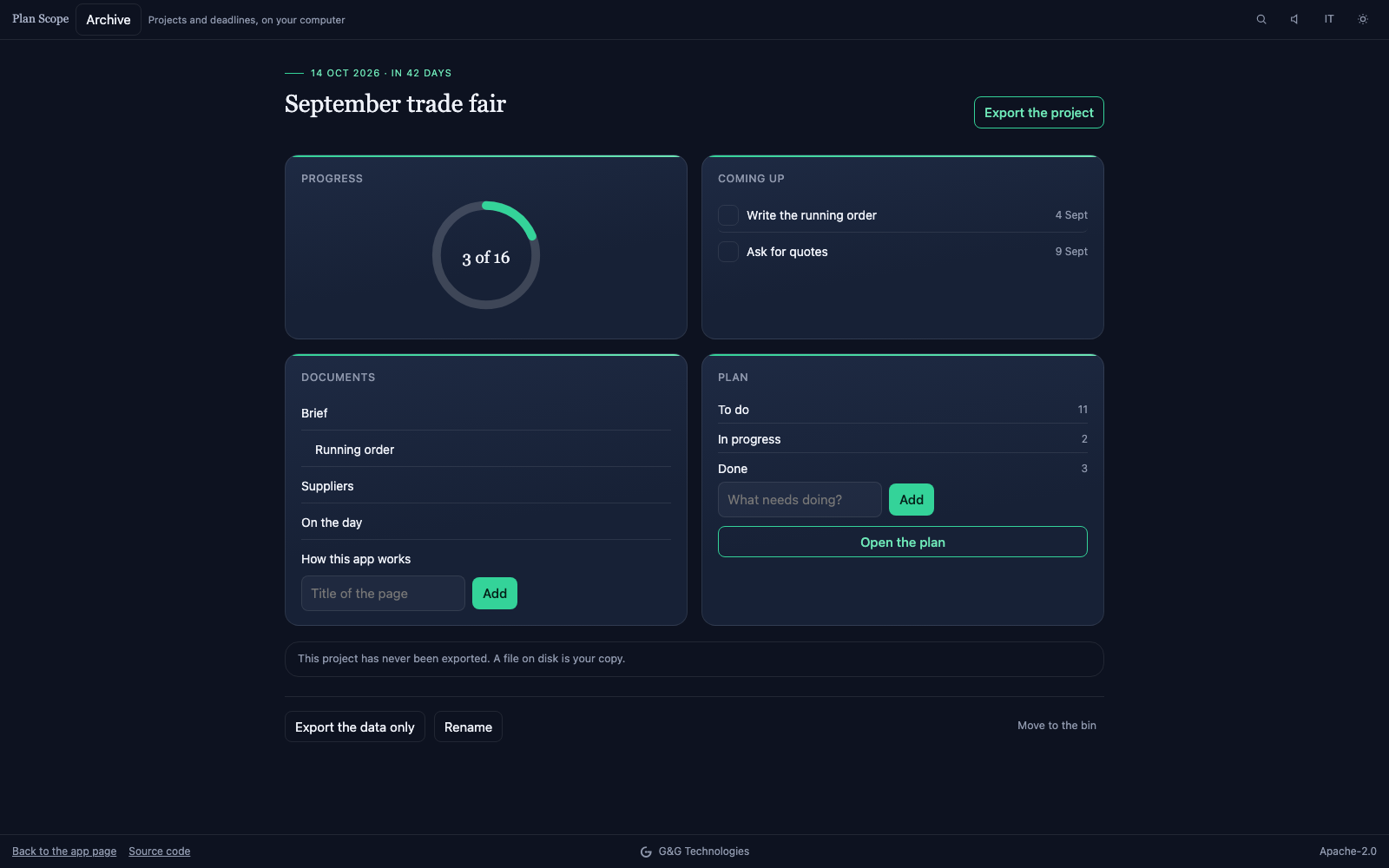
Plan Scope holds the four together: the pages you write, the tasks with their dates, the progress and this week's deadlines. Once the page has loaded the app makes no further network request: you can watch that in your browser's developer tools.
The other side of it is stated up front, because it is worth knowing first: with no server, the data lives in the browser of whoever writes it. That is why exporting is a main function rather than a menu entry — a project comes out as one file, and goes back in identical.
Working as two goes through a folder, not an account. Choose a folder inside Dropbox, OneDrive or Google Drive: the projects you share are written there as text files, one per page, and read back when a colleague changes them. The folder travels; the app still sends nothing to anybody.
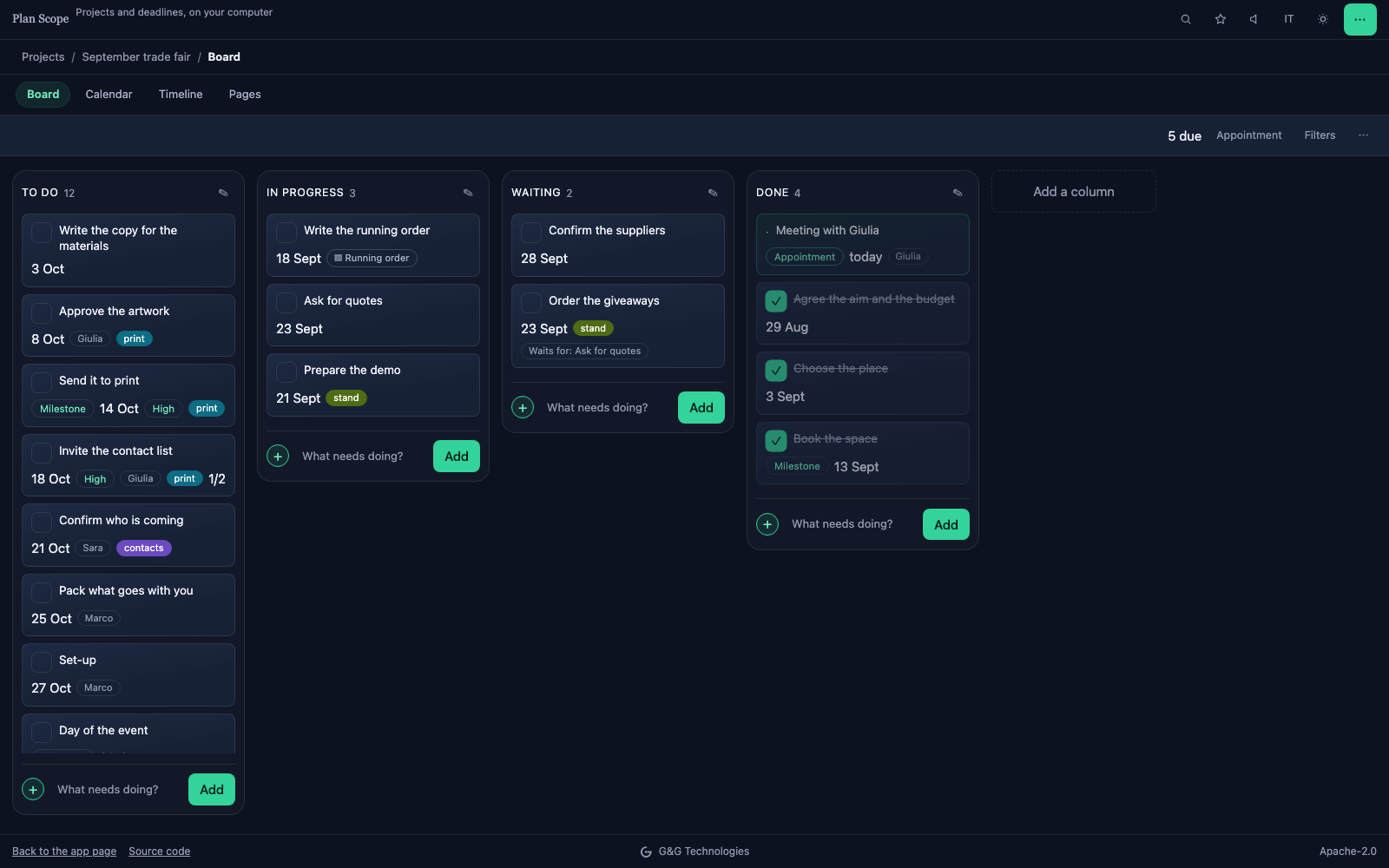 The board: tasks in columns, with their dates and who is on them. You decide the columns.
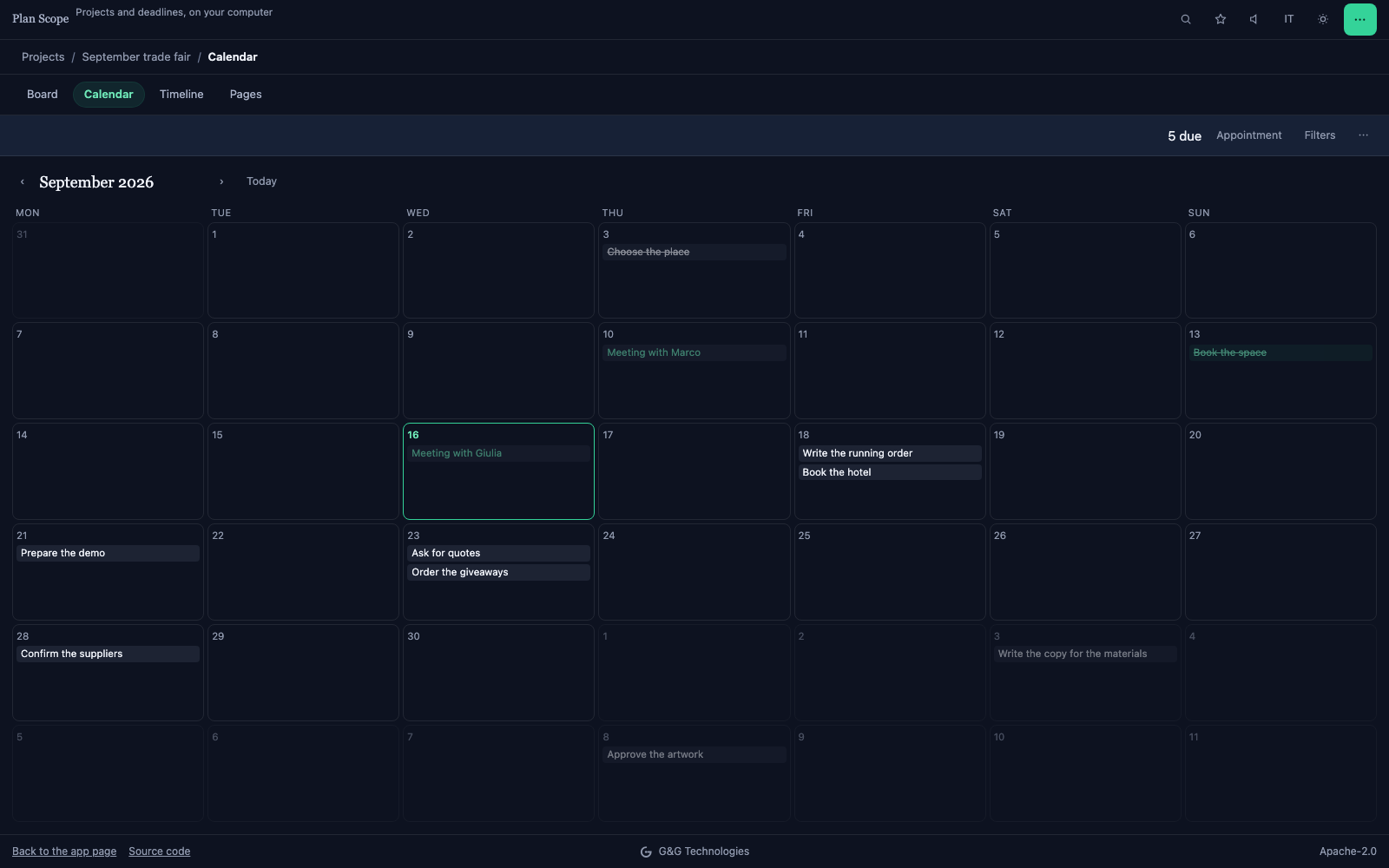 The same plan on a calendar, to see where the deadlines pile up.
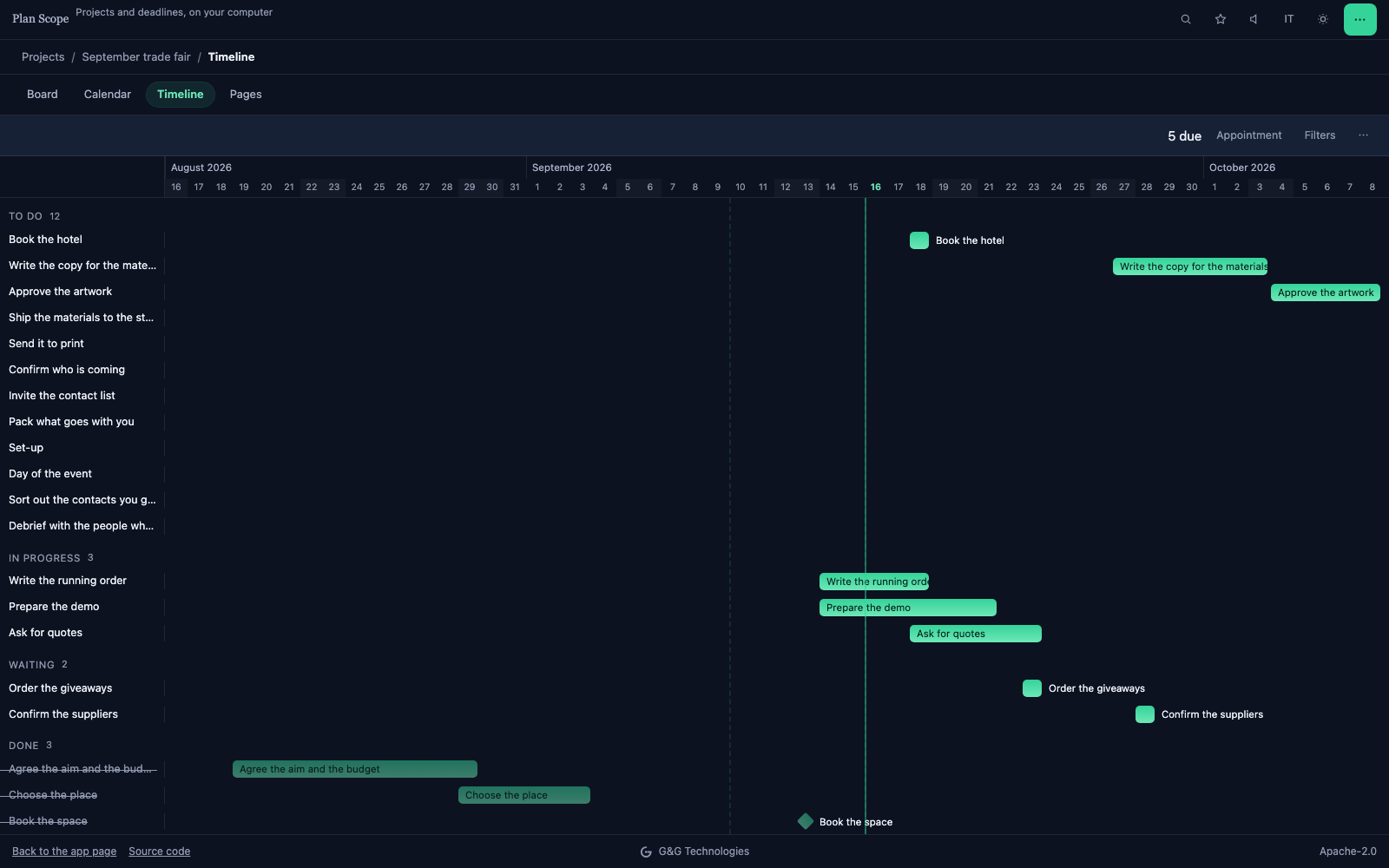 The timeline: how long each thing takes, what waits for what, and the milestones.
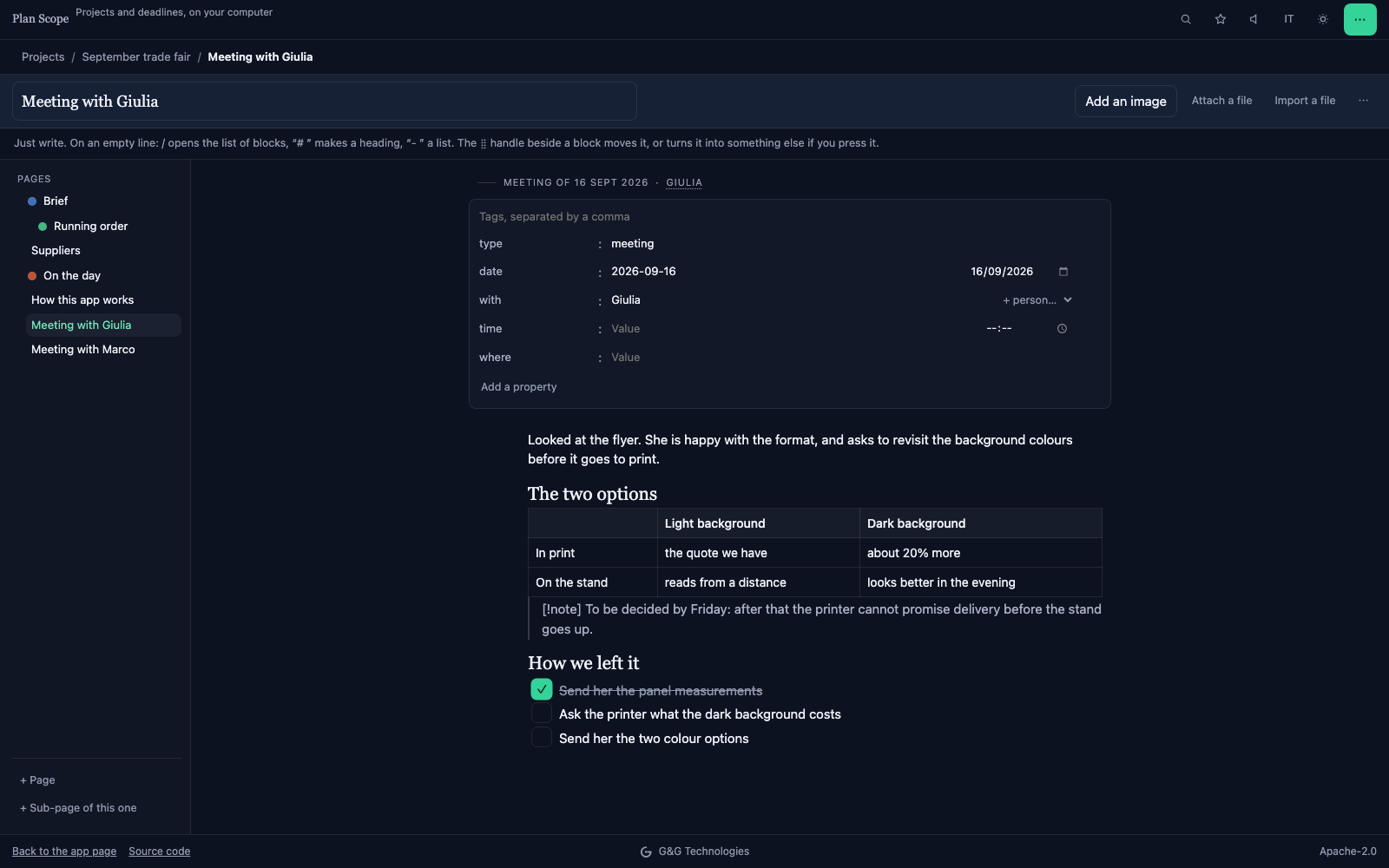 Pages are written in the app, in Markdown, with images and checkboxes: the notes live in the project instead of somewhere else.
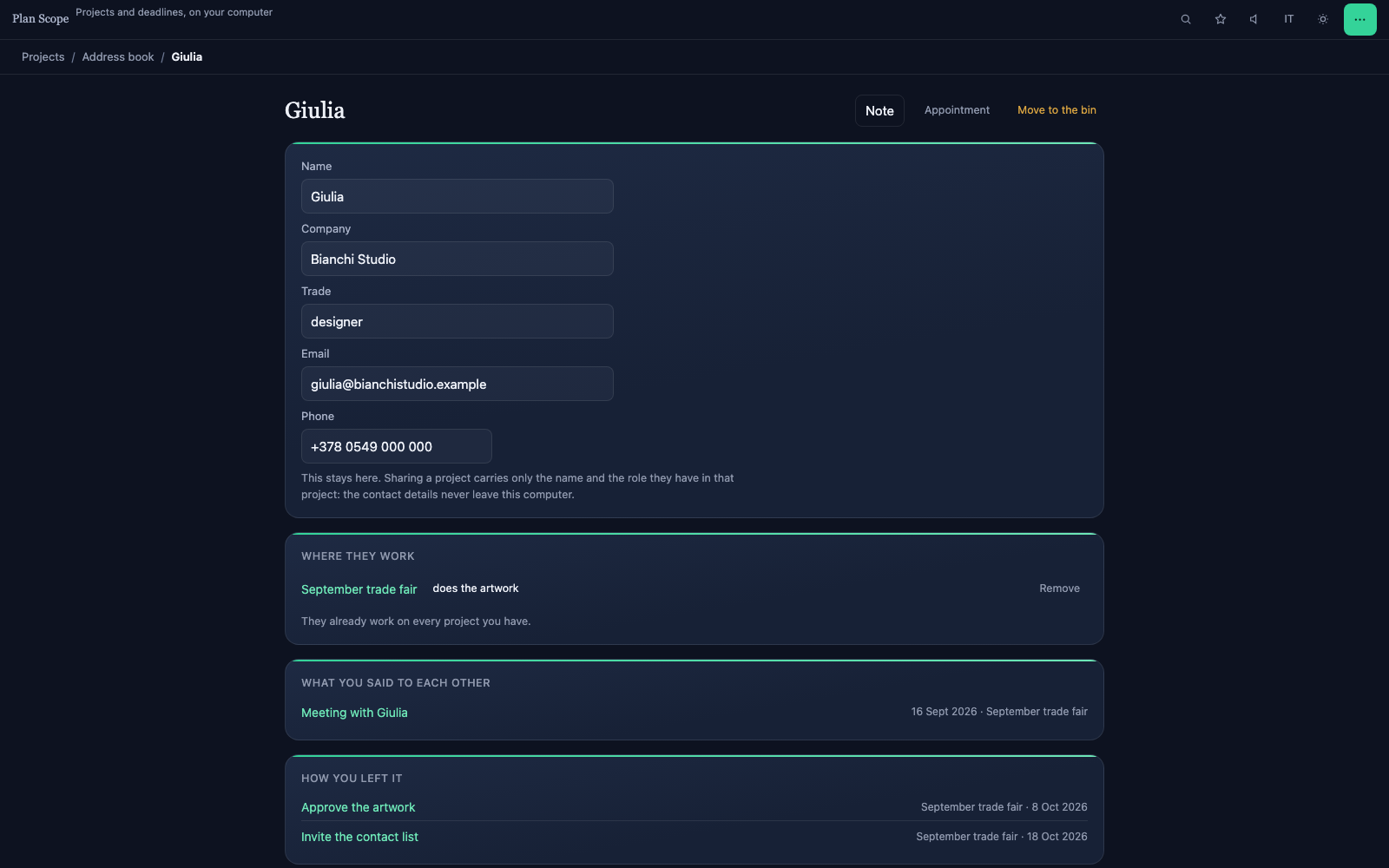 A person's card, across every project: where they work, what you said to each other, and how you left it.
What it does
- Holds several projects, each with its own pages and its own plan: board, calendar and timeline are three views of one list.
- Writes formatted pages: headings, lists, checklists, tables, images and attachments. Pastes from Word with headings, lists and tables intact.
- Saves as you write, and keeps versions: a snapshot every ten minutes, to get a page back as it was.
- Links pages to each other with [[double brackets]], shows what points where, and gives pages tags and properties that read as a table.
- Keeps tasks with a date, a priority, an owner, tags, a checklist, sub-tasks and repetition; shows progress and the deadlines of every project in one panel.
- Creates a board task from inside a page: the line stays linked to the task, opens its card, and ticking it in one place ticks it in the other.
- Keeps an address book of the people you work with, once for every project: contact details, projects, appointments and notes for each on one card.
- Books appointments and records calls, emails and meetings, with a project or without one: whatever belongs to no project goes in the diary.
- Opens every project on what needs doing now — delays, today's deadlines, decisions coming up, blocked tasks, meetings still without notes — and beside it the next meeting with what there is to discuss.
- Keeps the decisions taken in meetings: the question, the day it is due by, the choice.
- Shows the appointments and deadlines of every project in a single calendar, month by month.
- Searches everything with Ctrl+K: pages, tasks, projects, accents aside.
- Exports a project as one file, images included, and imports it back identical — or updates the one you have with a colleague's changes.
- Reminds you of deadlines, in three ways: inside the calendar you export — where your own calendar sounds them, on your phone, with the app closed for months — with a summary when you open the app again, and with a system notification where the browser allows one. You choose how many days before, and at what time.
- Works as two through a shared folder: Dropbox, OneDrive, Google Drive. Pages are Markdown files, readable with Obsidian too.
- Imports a Trello board and a Notion export, as far as they carry over.
- The same project opens in Invoice Scope, which uses this format: there a plan sits beside the quote and the invoices of that job. A project belongs where its money is — if it is a plan and nothing else, it belongs here.
- Undoes deletions: what you throw away stays recoverable for thirty days, or until you empty the bin.
- Works in Italian and English, in the light theme as in the dark one.
What it does not do
- It does not work in real time: the shared folder is read when the app comes back to the front, then once a minute. A page changed by both at the same moment stays twice, with the other person's name in the title, and you compare them.
- The shared folder works on Chrome and Edge, on a computer: Safari, Firefox and phones do not let a web page open a folder. There, the exchange of files remains.
- It does not promise a notification at an exact time: without a server the app cannot wake itself. What it does is in the “Reminders” line above — the reminder inside the calendar you export sounds everywhere; the other two ways depend on the browser.
- It uses no AI models: “Copy for an assistant” puts the text on the clipboard, and you choose the assistant.
No closed formats: what you write comes out as files that open without this app, and what you already wrote elsewhere can come in.
Comes out as
- The whole project in a .zip: the data in project.json, the images in assets/. It is the form that survives a change of computer, and it goes back in identical.
- The data alone in a .json, without images: smaller, and readable in any text editor.
- A page as .md: Markdown with its tags and properties in the head, the format Obsidian and static site generators read.
- The project as a folder: project.json, one file per page under pages/, the images in assets/. It is what the app writes into a shared folder, and it opens in Obsidian as it is.
- The deadlines as .ics, with the reminder inside: they open in Calendar, Outlook or Google Calendar, and your own calendar sounds them.
- The tasks as .csv, for Excel, Numbers or Google Sheets.
- The address book as .csv and as .vcf (vCard): the second opens in Contacts, Outlook or Google Contacts.
- A page or the board as a self-contained web page, one file that opens in any browser without the app.
- As a PDF, from the browser's print, laid out for paper.
- On the clipboard, as Markdown: “Copy for an AI assistant”, and you choose the assistant.
- The whole archive in a single file, which is the copy to keep somewhere safe.
Comes in from
- A project of this app (.zip or .json): as a new project, or on top of the one you have, updating it with a colleague's changes.
- A backup of the archive, to put everything back where it was.
- A folder of files: a project written as a folder comes back as it is — pages edited in Obsidian included, at the next read.
- A Trello board (the .json of its export): columns, cards, dates, labels, members and checklists.
- A Notion export (the .zip): pages with their tree and their images, and tasks from any database that has a name and a status or a date.
- Text pasted from Word or Google Docs: headings, lists and tables stay what they are instead of becoming one long line.
- Images and attachments dragged into a page.