The starting point
Customer data is the part to keep in-house.
E-invoicing usually means using an online service: your customer records, the prices you charge and your sales history are uploaded to the provider's servers.
For many businesses that is a sound choice. For others the list of customers, with what each one is invoiced, is confidential information to keep in-house.
Invoice Scope does the part that takes expertise — the arithmetic, the FatturaPA format, the checks — on your own computer, and returns the file ready to send. Transmission stays on the channel you already use.
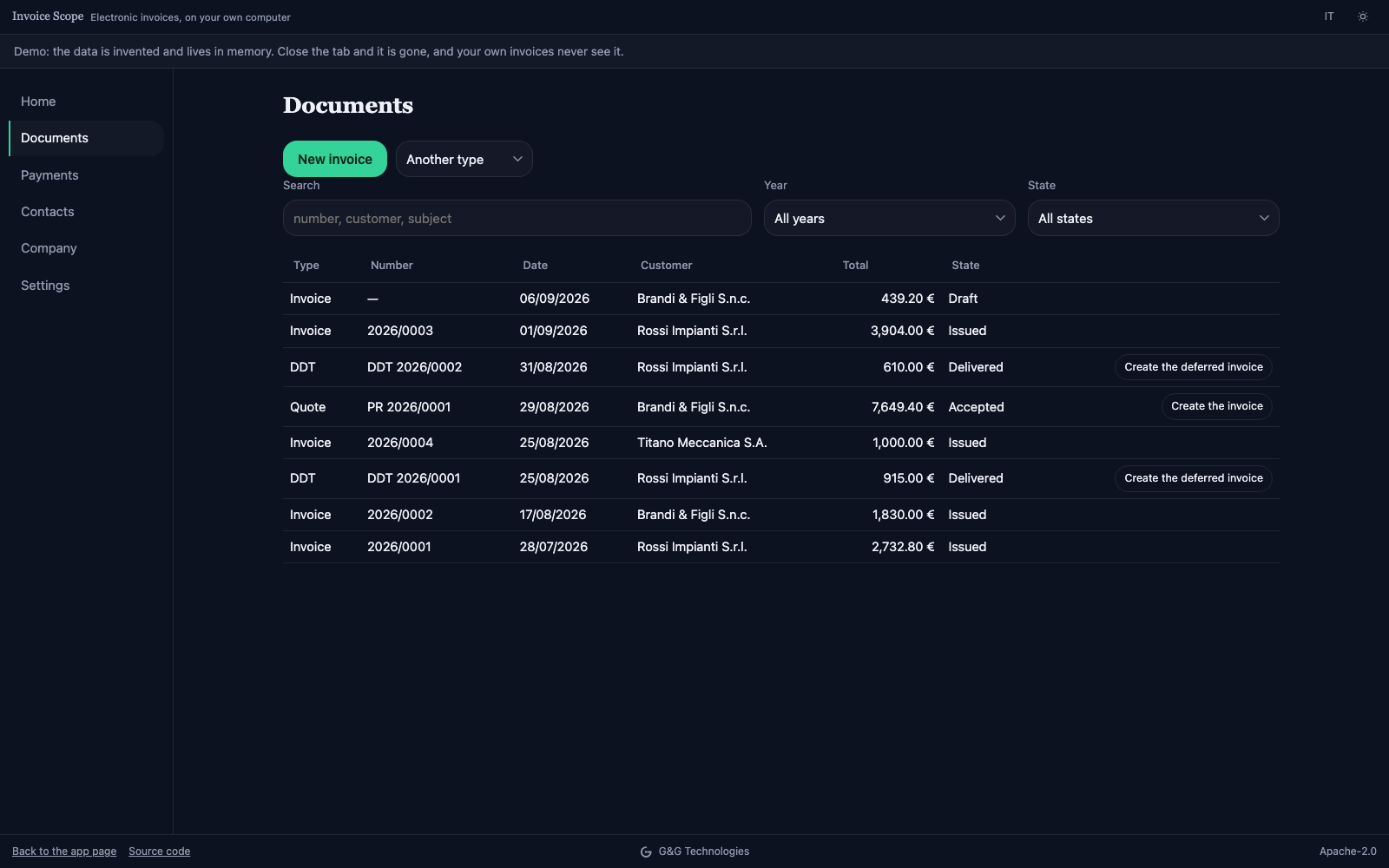
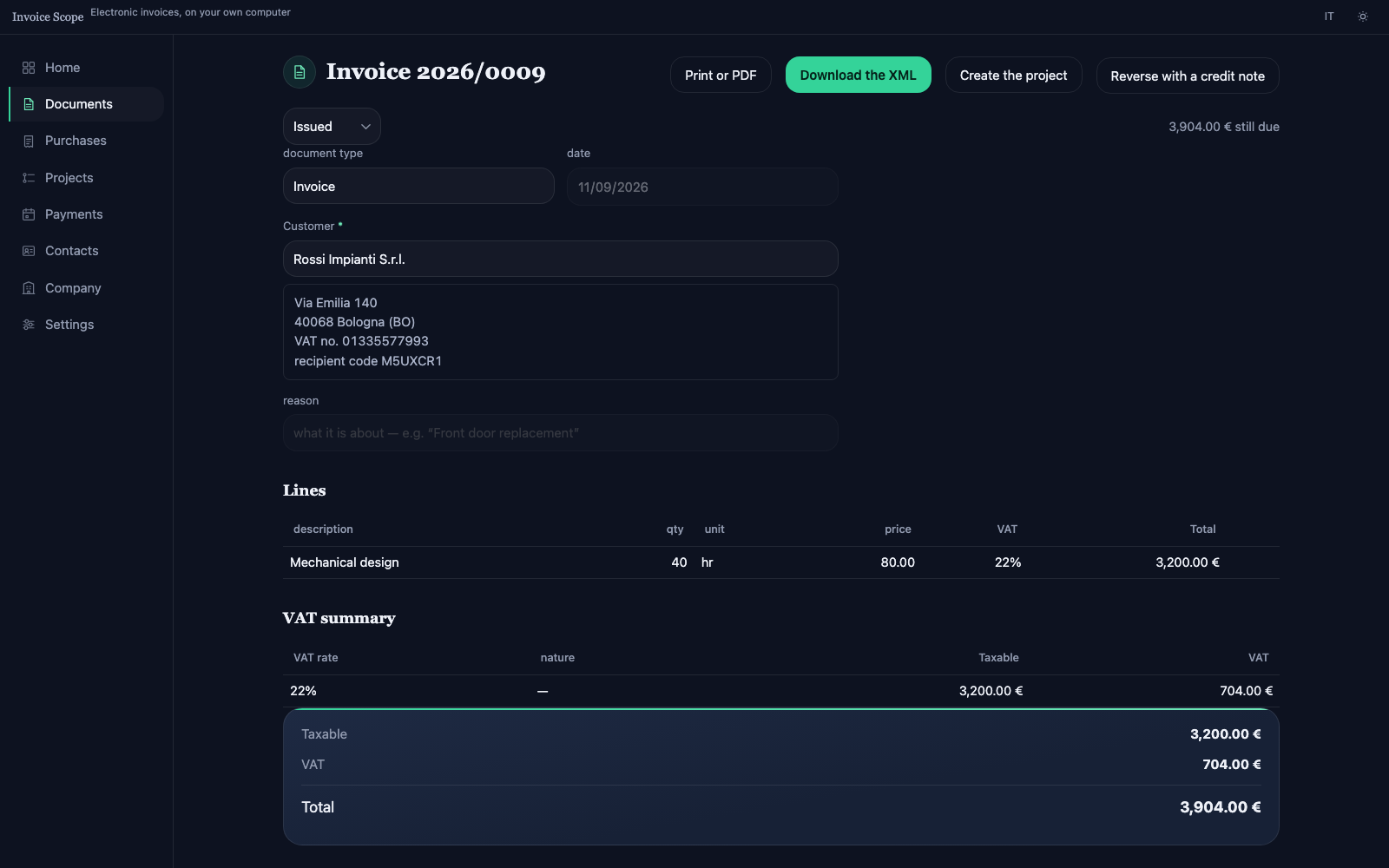 An issued invoice: lines, VAT summary, payments, and the XML file to download.
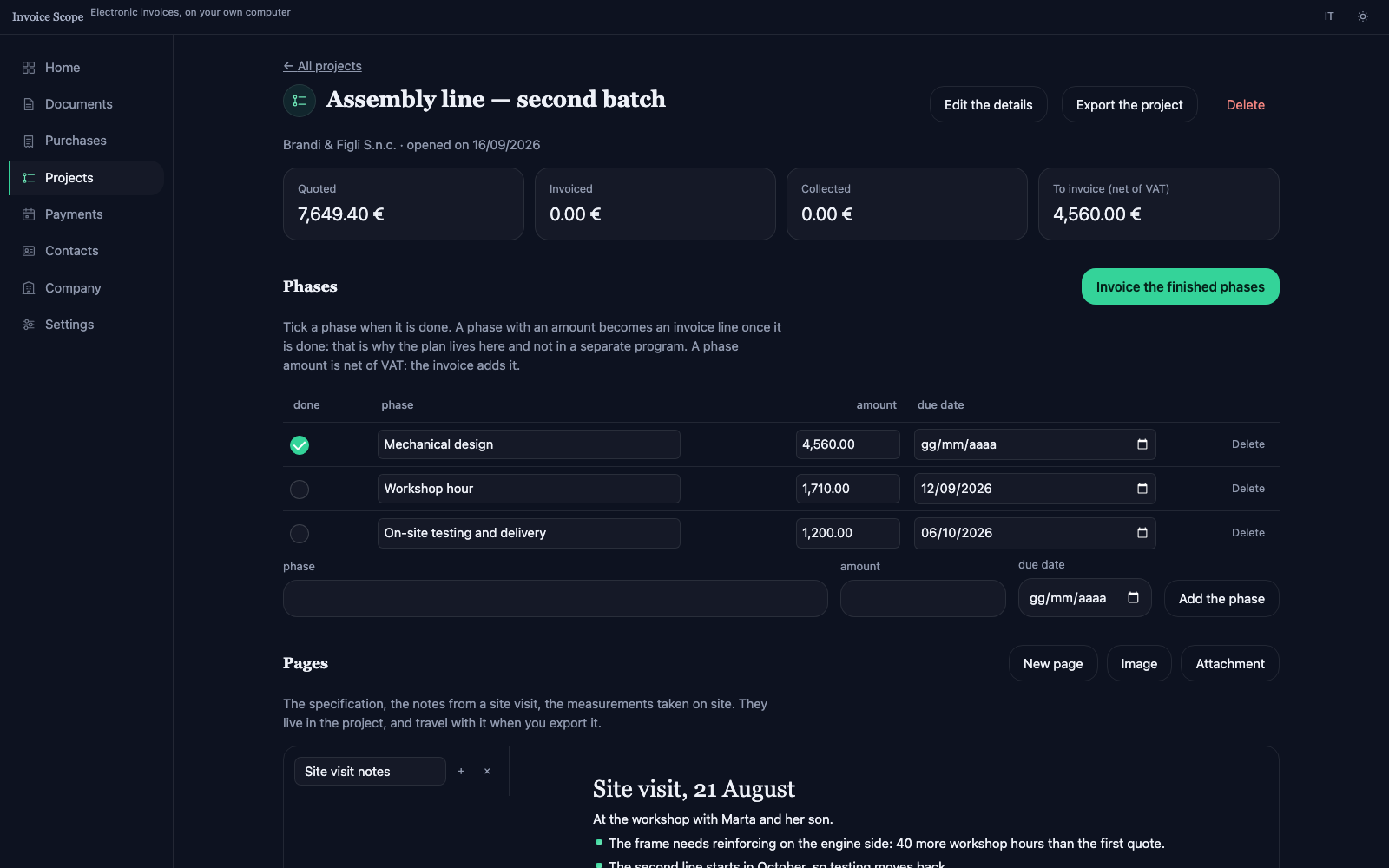 A project: phases with their amount, note pages, linked documents.
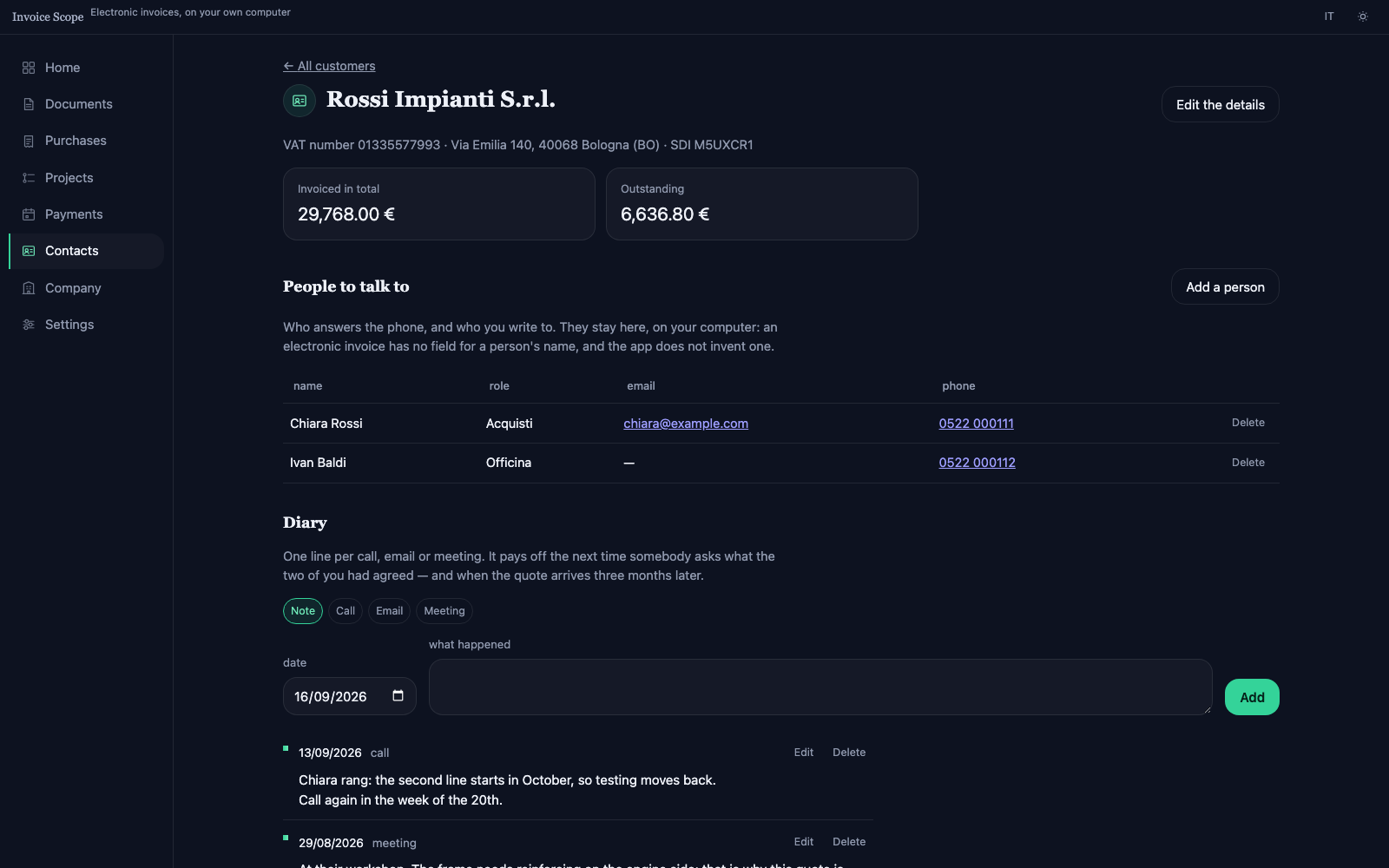 A customer record: the people, the diary of calls, their documents.
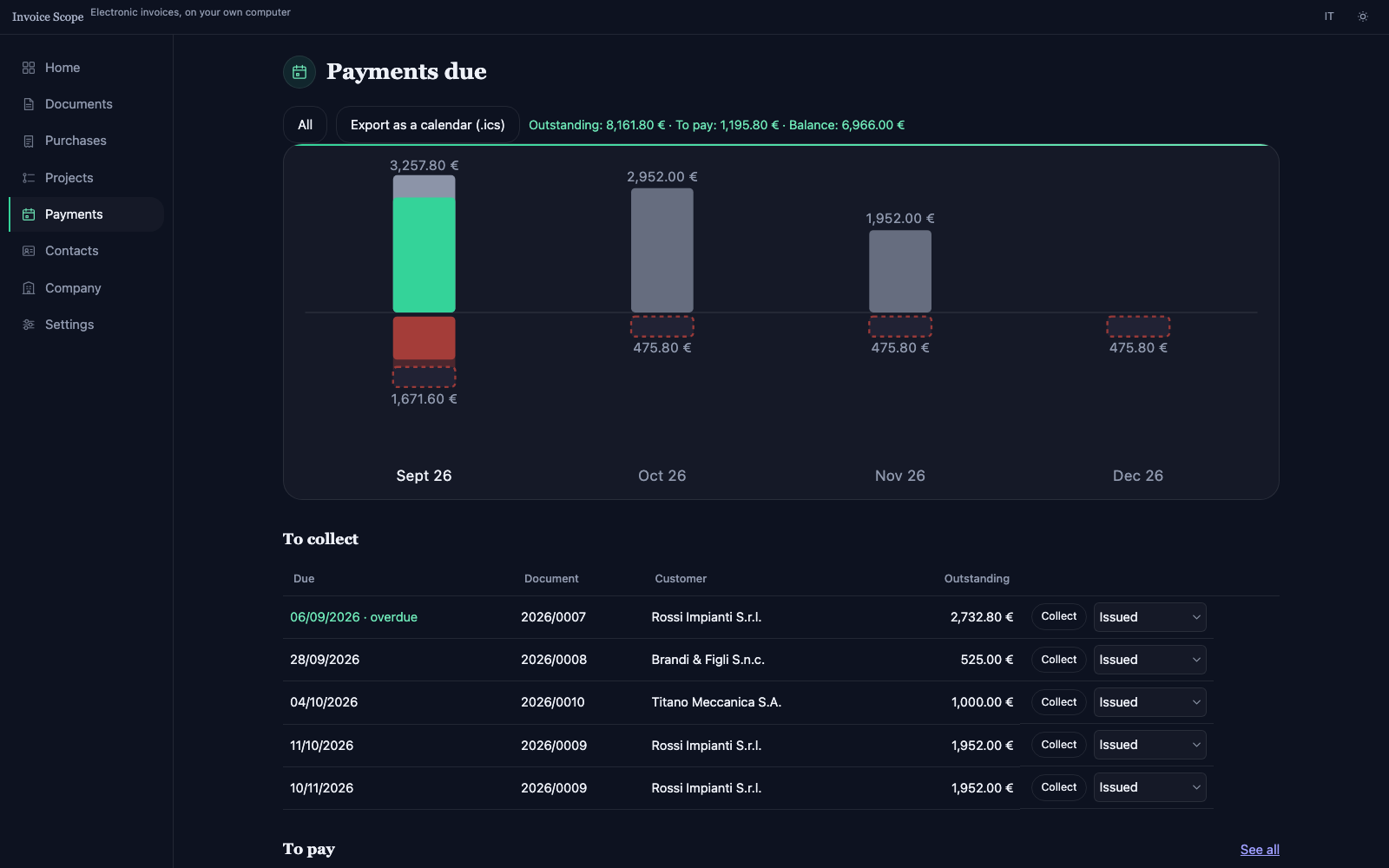 The payment schedule: instalments, the overdue ones, and the payment to record.
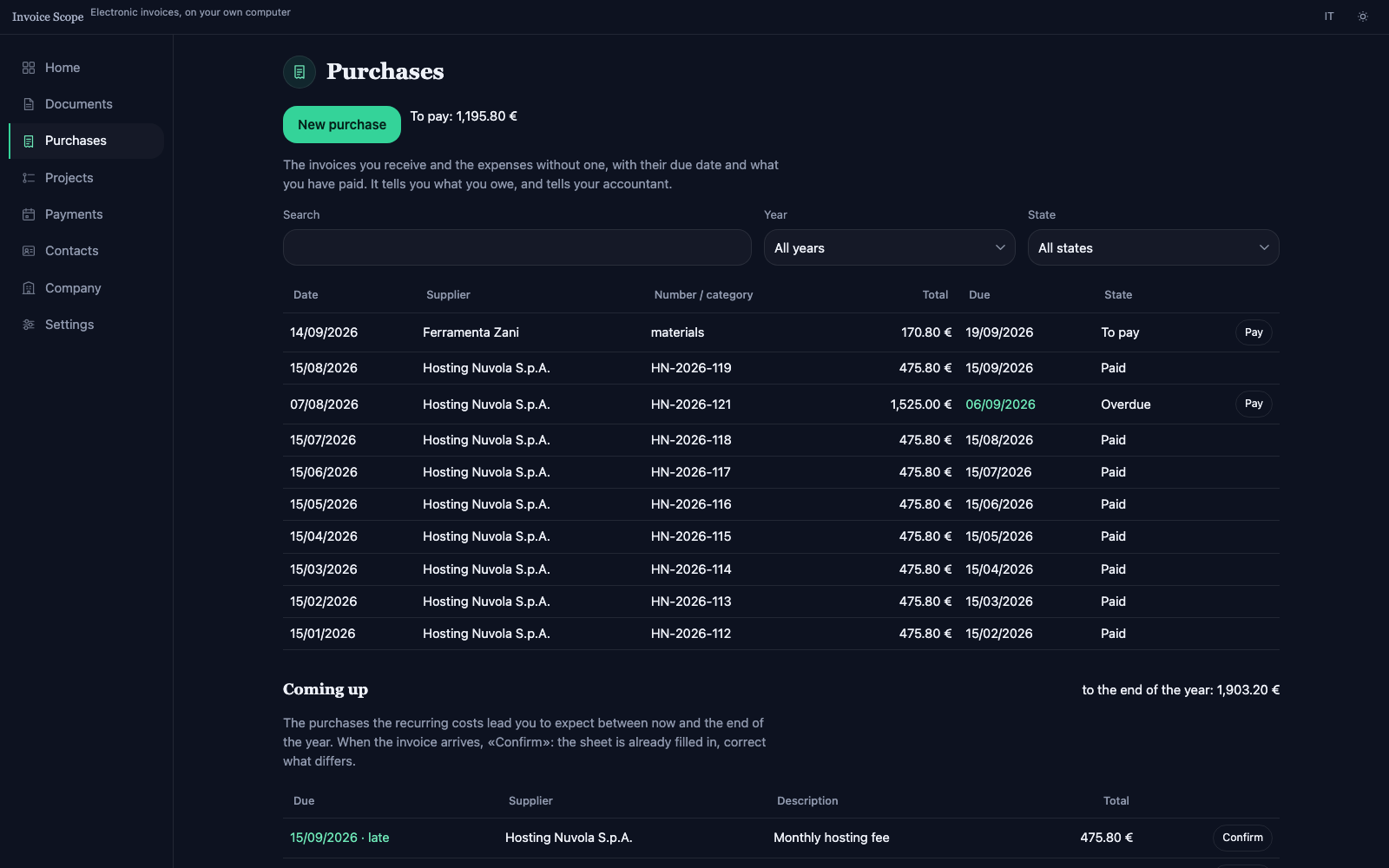 Purchases: received invoices and expenses, with their state and what is left to pay.
What it does
- Issues invoices, deferred invoices, advance invoices, credit and debit notes, with several VAT rates on one document. It also keeps quotes, pro-forma invoices and delivery notes, each with its own numbering, and turns them into invoices without retyping lines, discounts and due dates. From the list, any document can be duplicated for the same customer and lines.
- Reopens an issued document for editing, keeping its number, with the warning that a document already transmitted is not corrected but reversed with a credit note.
- Writes the FatturaPA file for every direction: from Italy to Italy, San Marino and abroad; from San Marino to Italy, abroad and other San Marino operators, with the domestic invoice compulsory from 1 January 2027. The direction follows from your country and the customer's.
- Checks every document before it is issued and names the field, the rule and the fix. Works out VAT per rate the way the Italian exchange system recomputes it, in exact arithmetic.
- Invoices public administrations in FPA12 format, with the office's unique code, CIG and CUP, and split payment. Handles withholding tax, professionals' pension contributions, virtual stamp duty and the flat-rate scheme.
- Records purchases: invoices received as XML — signed (.p7m) or inside the SdI zip as well — or entered by hand, expenses without an invoice, suppliers' credit notes, instalments and payments. Recurring costs are entered once and expected until the end of the year.
- Recognises reverse-charge purchases and prepares the integration to send to the SdI — TD16, TD17, TD18 or TD19 — with the deadline of the 15th of the following month. For a San Marino company it proposes the self-billed invoice under article 7 of Decreto Delegato 133/2026 when the supplier's invoice does not arrive.
- Keeps the payment schedule both ways: instalments, payments with the transfer receipt, transfers that settle several invoices, the bank statement read from CSV. Payments received have a list of their own, where they are corrected and the receipt is attached later, opened or downloaded. Prepares reminder letters and announces due dates through an .ics calendar and, where the browser allows, a notification.
- Opens on an overview: the year's revenue against the previous one, receivables by age, margin, the period's VAT for checking purposes, and documents close to their transmission deadline.
- Gives every customer a record with the contact people, the meetings coming up and those waiting for an outcome, a diary of calls, emails and meetings, and the list of their documents.
- Manages projects: phases with dates and amounts, note pages with images and attachments, and completed phases that become invoice lines. The format is the same as Plan Scope's.
- Imports customers, price list and documents from Fatture in Cloud and from the XML files of an archive, showing first what will come in. Exports a CSV of the period for whoever keeps the books.
- Prints documents on your letterhead, with logo and contact details, or saves them as PDF.
- Saves the archive at every change to a linked folder, with one copy a day. Installs like an application and works without a connection.
What it does not do
- It does not transmit the file, neither to the Italian exchange system nor to the San Marino tax office hub: transmission needs an accredited channel.
- It does not provide legal archiving, which is a separate obligation with requirements of its own.
- It does not apply a digital signature. A file for a public administration has to be signed with your own signature device (CAdES or XAdES) before it is sent.
- It does not keep your accounts: VAT registers, returns and the ledger stay with whoever handles them, who receives the period's file from the application.
- It does not write on an integration the SdI identifier of the supplier's invoice, which the Agency's guide asks for when available; number and date it does.
Formats in and out
Documents come out in the official formats and in open files, readable without this application.
Comes out as
- FatturaPA XML: FPR12 for businesses and individuals, FPA12 for public administrations and the San Marino format for HUB-SM, with the file name the rules require.
- PDF on your letterhead, from the browser's print.
- CSV of the period for the accounts, with issued documents and purchases in the same file.
- .ics calendar of due dates, with the reminder included.
- The complete archive as JSON, or as a .zip with receipts and images, for backup or a change of computer.
- Projects in the Plan Scope format.
Comes in from
- FatturaPA XML received or issued, signed (.p7m) or collected in the SdI zip as well.
- Fatture in Cloud exports: contacts, price list and documents, as .xlsx, .xls or CSV.
- Bank statements as CSV or spreadsheet, to match payments in and out.
- An Invoice Scope archive, to restore it or move to another computer.
- Plan Scope projects.